Centralize Camera System.
Introduction
The client required a reliable camera system for multiple sites from various geographical locations. Each site had at least four(4) floors and every floor required minimum twenty (20) cameras, which averaged to eighty (80) cameras per site. I was tasked with desinging and implementing a system that would not cause any desruptions to the day to day operations and allow the system to be centrally managed.
The problems:
- How to network all the cameras without disruptions
- Centrally manage all the cameras
How to network all the cameras
We needed a way to efficiently implement a camera network without causing any desruptions. To efficiently do this we designated a room on each floor that would house the patch panel and switch for the cameras on that floor. From each floor’s designated room would have a trunk cable to the server room to connect all the cameras to the central system.
Why create a DMARC on each floor
Creating a DMARC on each floor makes running cables for each camera easier. Instead of having to run 80-100 cables across 4-5 floors to the server room we only needed to run 5 cables from each DMARC room to the server room. The added benefits of this were we were able to save space in the server room conduit, more quickly get the camera infastructure operationaly and save on cabling.
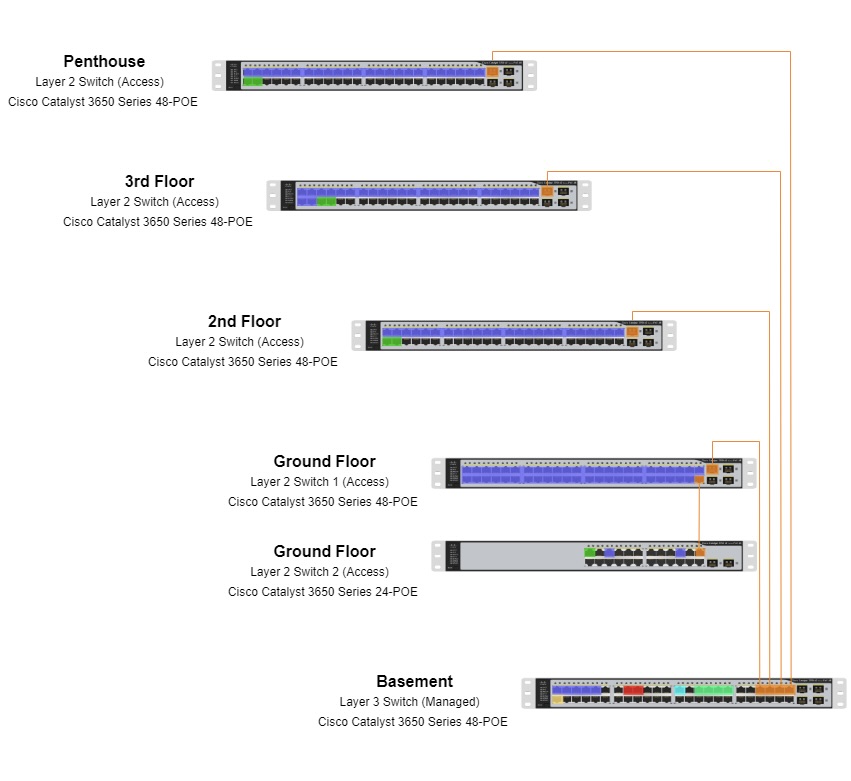
DMARC Racks
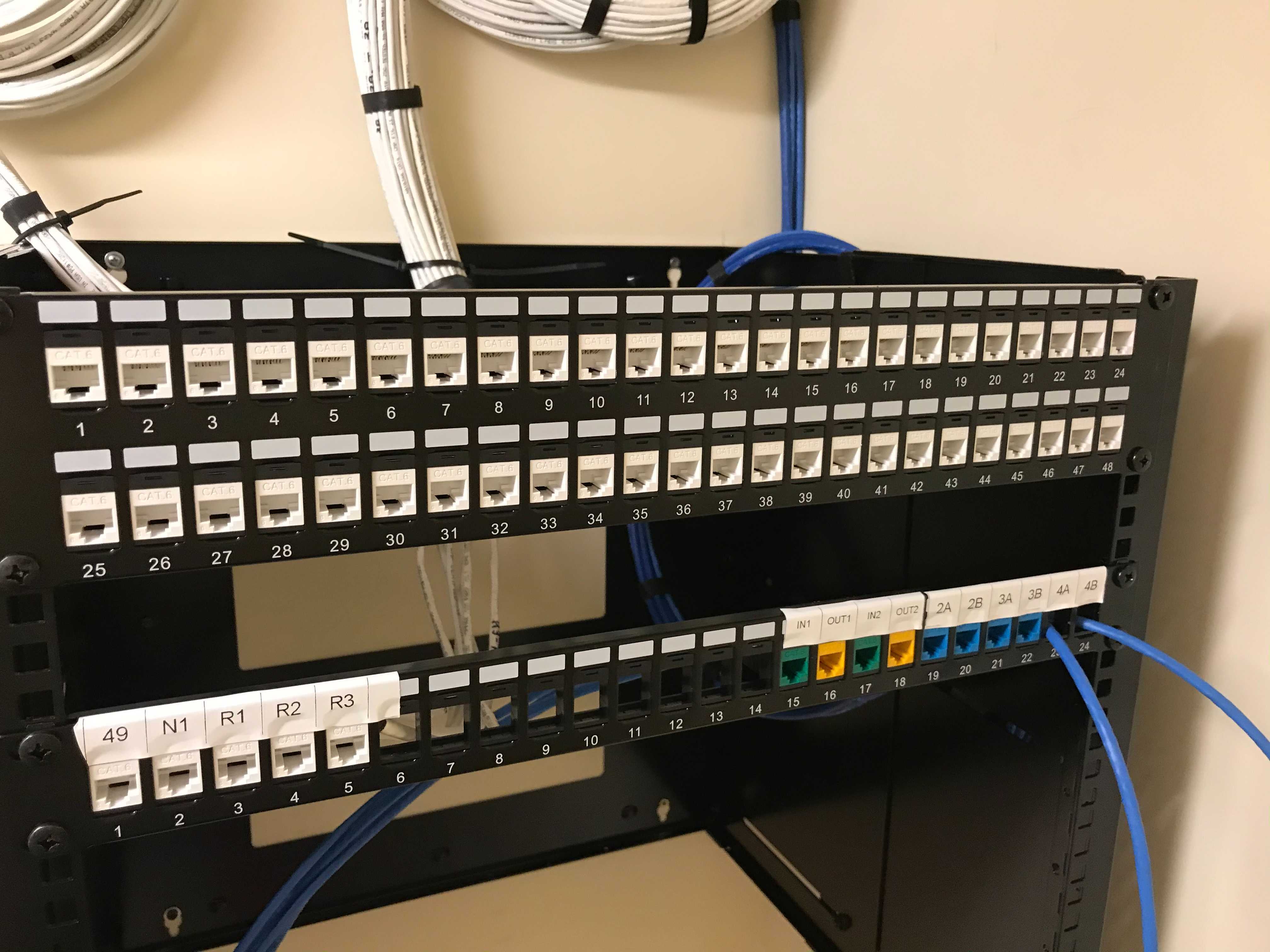
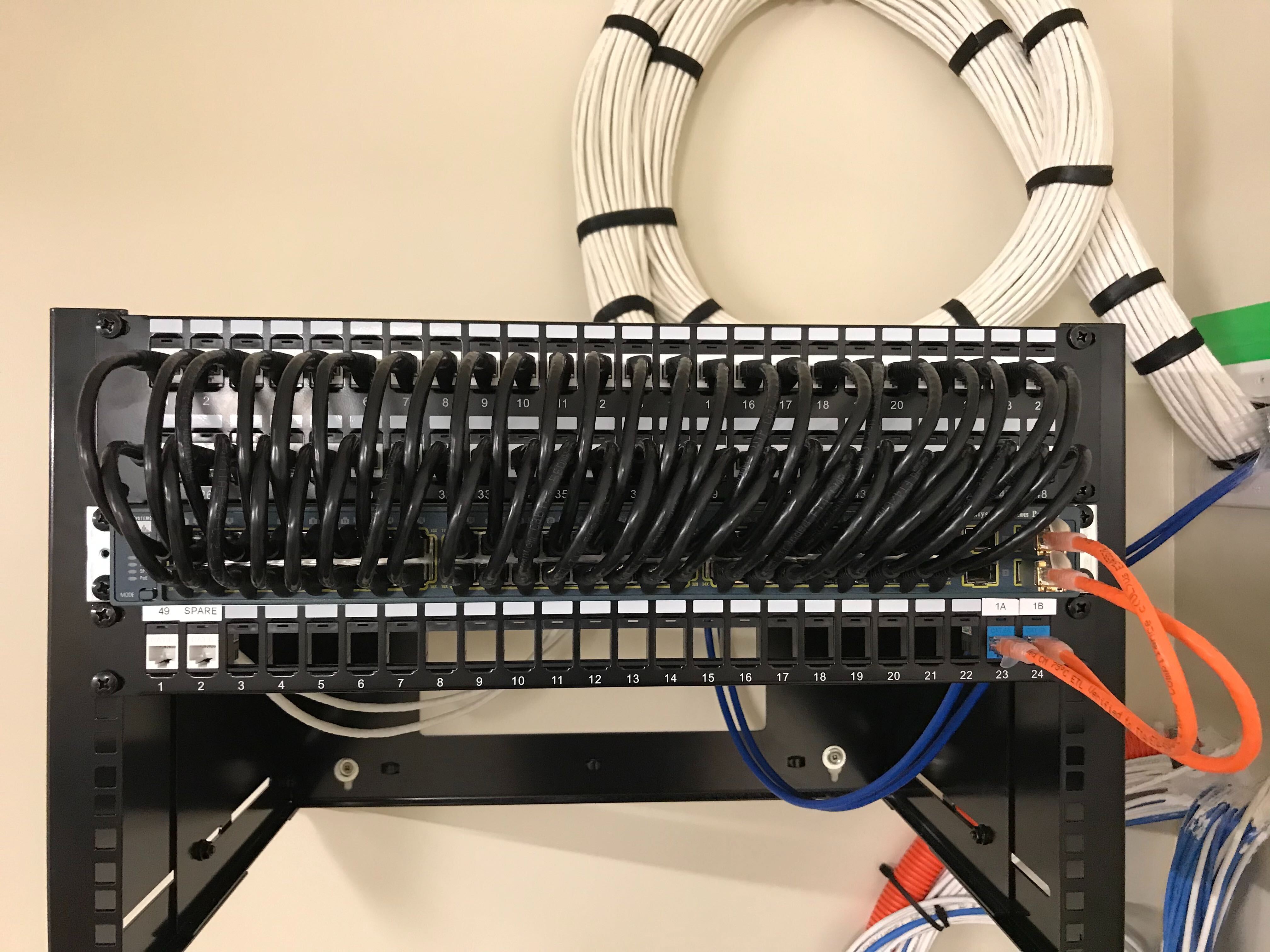
A few images of the racks and cabling I have installed.
Centrally managing all the cameras
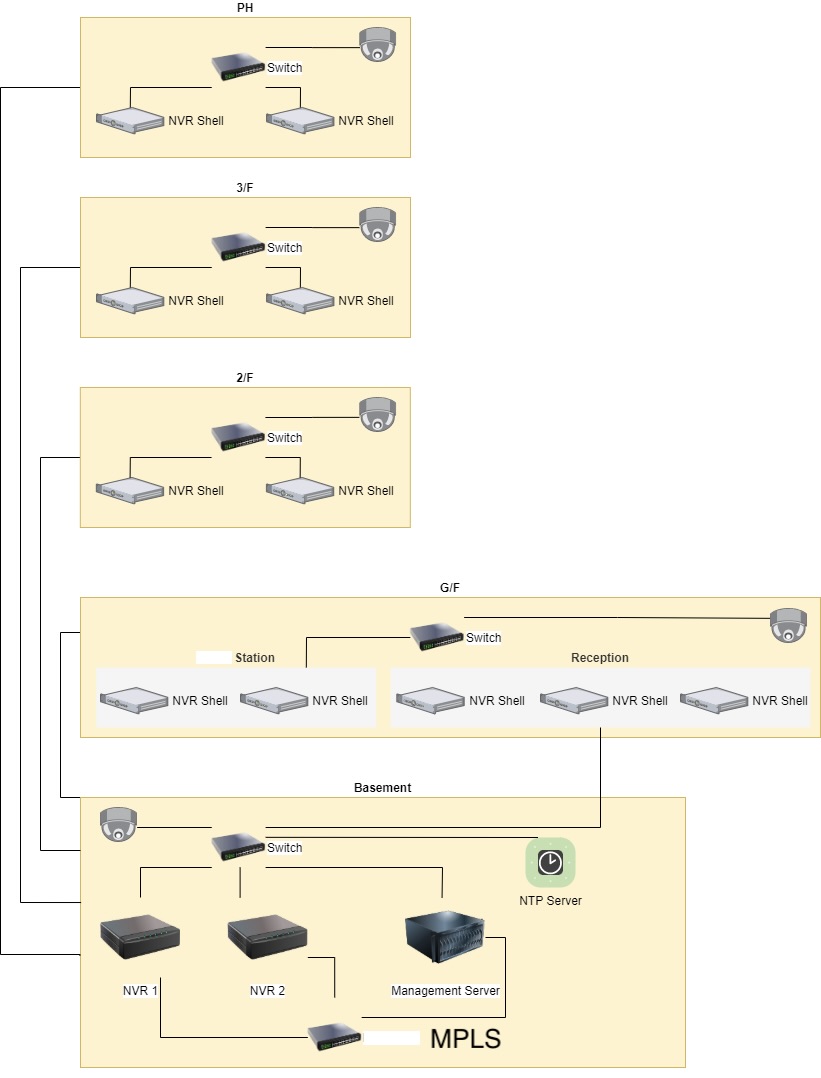
Every site has their own video storage device for their respective cameras, however the client requires access to all cameras on a centralize platform without exposing the system to the internet. To do this we installed a management server on one of the sites and use the existing MPLS connect across all sites to connect the video storage devices to the management server. THe management server allows the client to create users and user policies to ensure that staff with the proper permissions are able to view the cameras.
s